You can't perform that action at this time. You signed in with another tab or window. You signed out in another tab or window. Reload to refresh your session. Reload to refresh your session.
You can't perform that action at this time. You signed in with another tab or window. You signed out in another tab or window. Reload to refresh your session. Reload to refresh your session. 填写配置的效果 ,点击register application 即可创建。 点击 Generate a new client secret 生成您的密码 复制 Client ID和刚生成的 Client secret (对应图中2和3)备用。

Gitalk
Gitalk
完成预览效果
配置gitalk
只需两步,创建github仓库,创建授权秘钥
在您的Github中创建一个开源项目用于存放评论
Build software better, together
You can't perform that action at this time. You signed in with another tab or window. You signed out in another tab or window. Reload to refresh your session. Reload to refresh your session.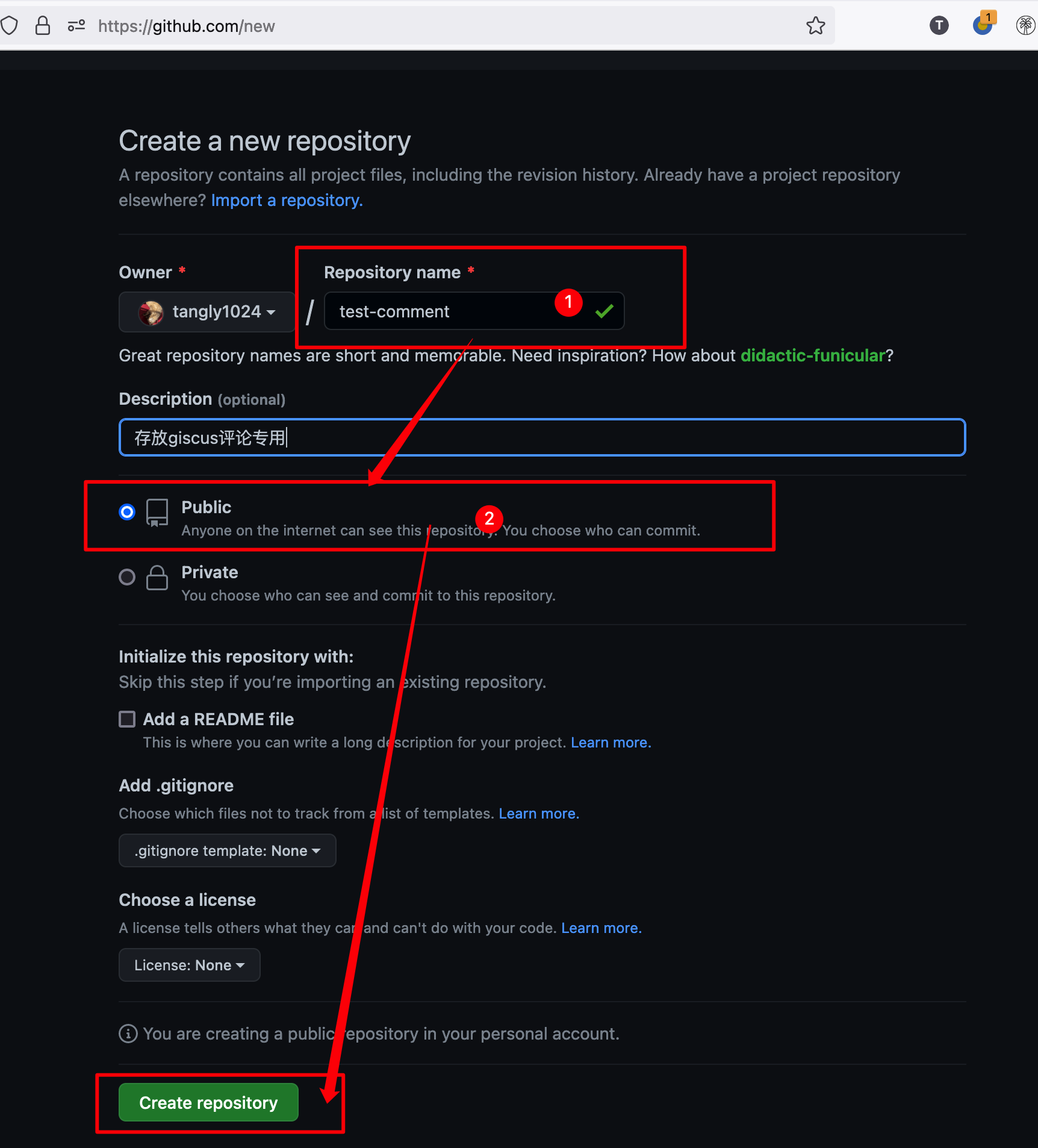
创建一个[授权秘钥](https://github.com/settings/applications/new),并保存您的`ClientID`与`ClientSecret`
Authorization callback URL填写您网站域名 Build software better, togetherYou can't perform that action at this time. You signed in with another tab or window. You signed out in another tab or window. Reload to refresh your session. Reload to refresh your session. 填写配置的效果 ,点击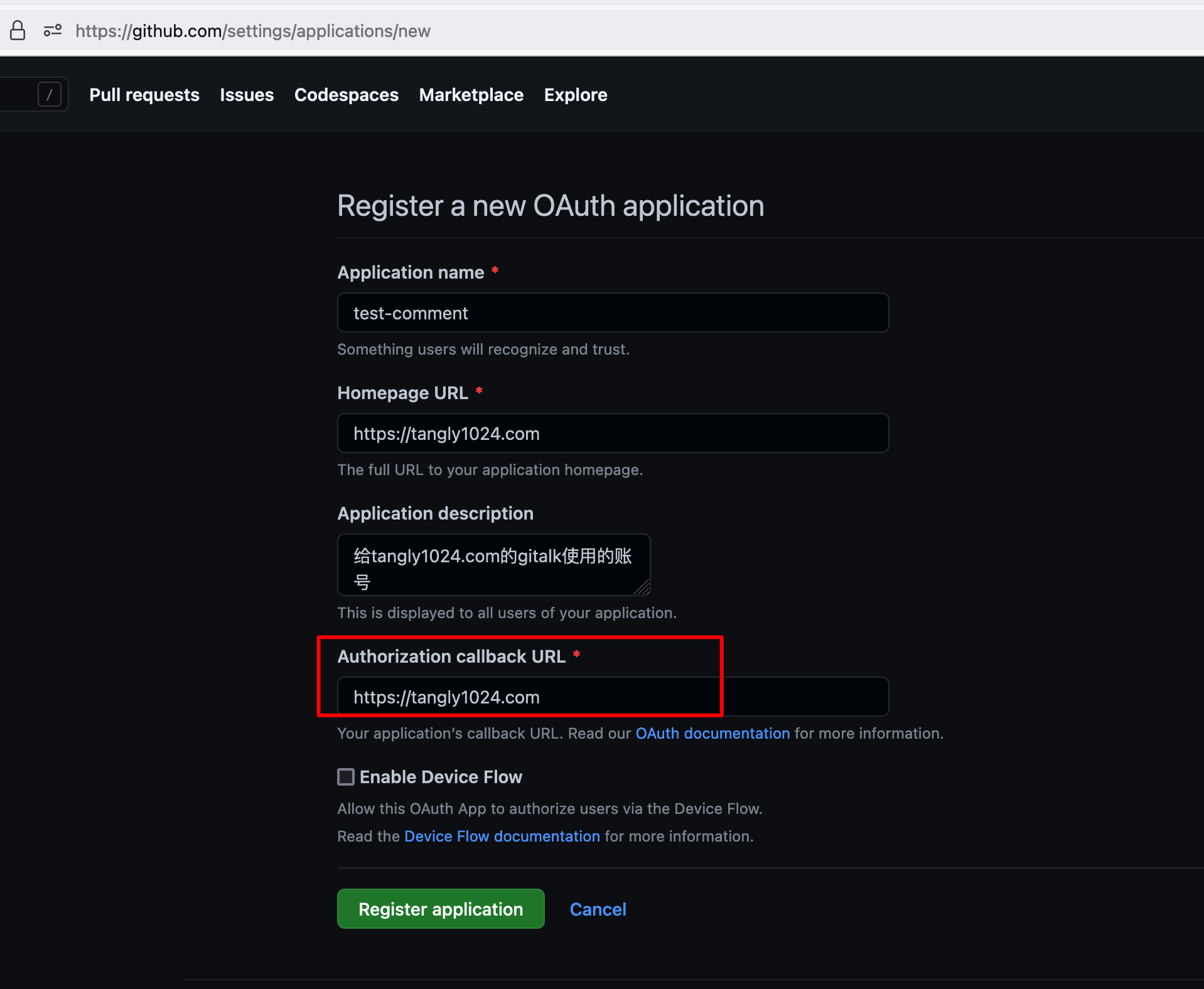 点击
点击 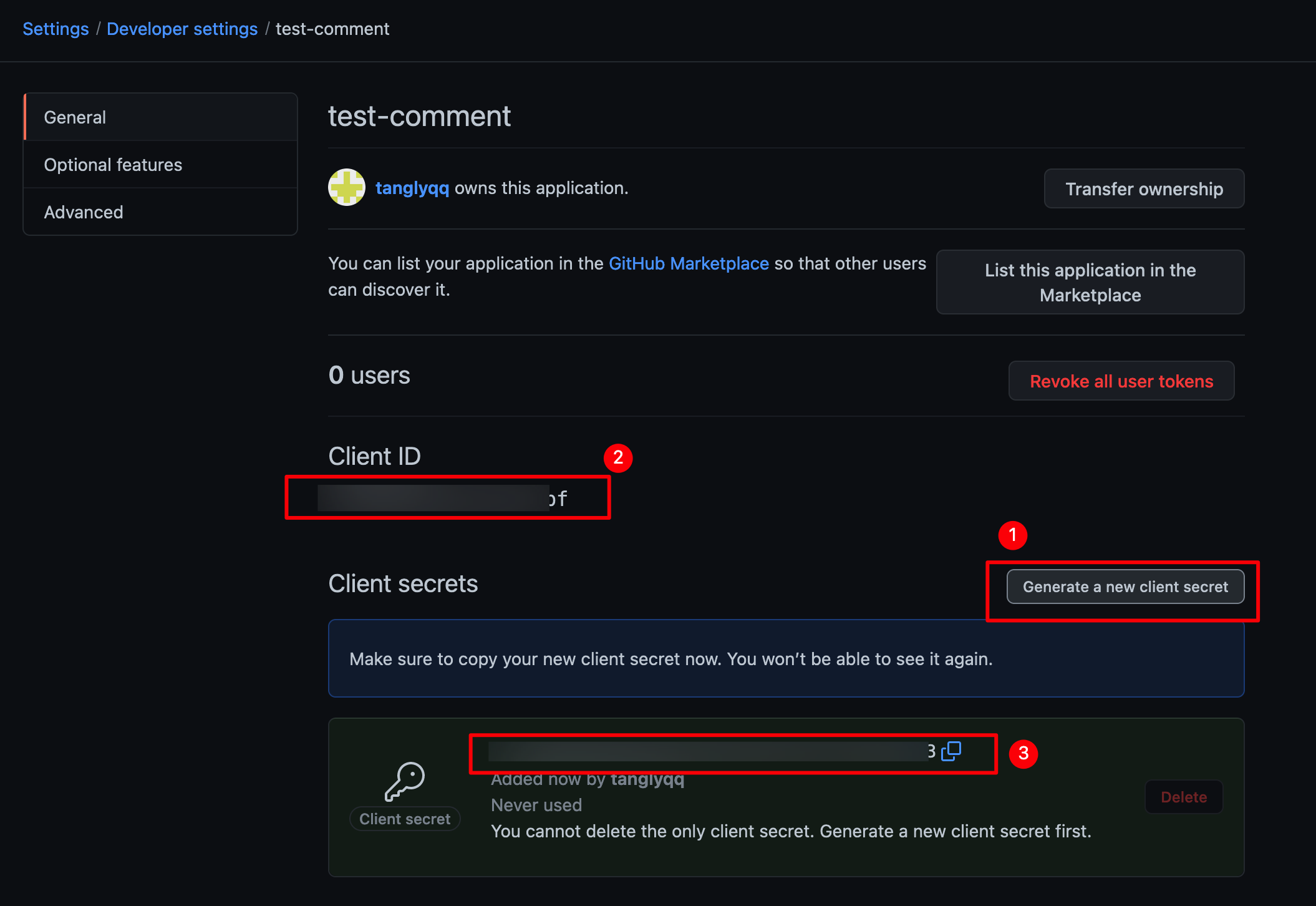 复制
复制
register application即可创建。Generate a new client secret生成您的密码Client ID和刚生成的Client secret(对应图中2和3)备用。配置 NotionNext
只需两步,配置环境变量,重新部署项目
在Vercel后台配置环境变量
gitalk参数和vercel环境变量的映射关系 vercel后台需要添加5个变量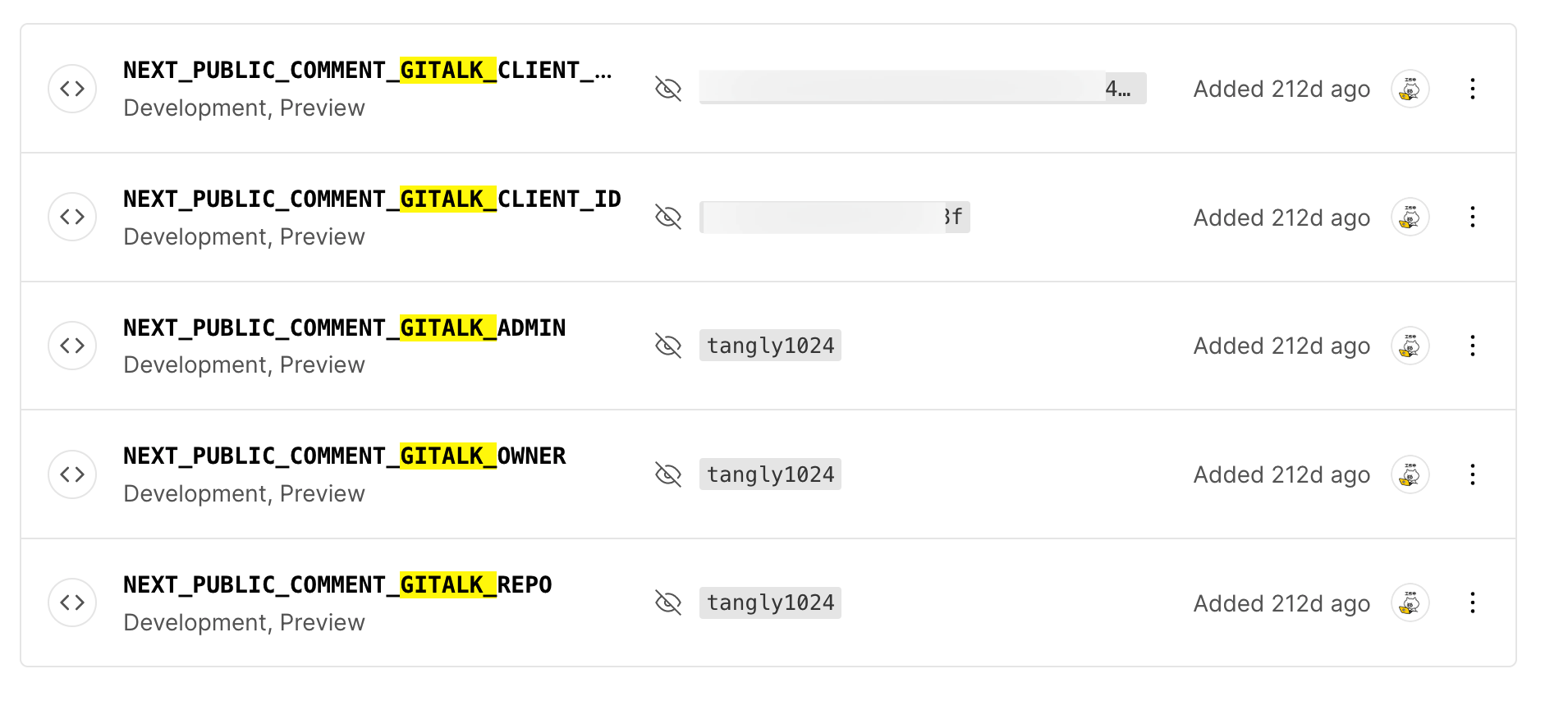
添加完环境变量记得`Redploy`项目。
原文链接
https://docs.tangly1024.com/article/notion-next-gitalk