
实操案例-自定义鼠标特效
迁移自:实操案例-自定义鼠标特效 发布日期:2023-8-14 最后编辑:2024-9-12 原栏目:⌨ 开发教程 摘要:一个开发示例,实现鼠标点击特效
提示
这是一个开发示例,通过本文您将学会,如何用NotionNext中的快速插入自定义功能,比如自定义的鼠标特效。
按此教程,您的网页当鼠标点击后,指针点击处将浮现“社会主义核心价值观”的词条。
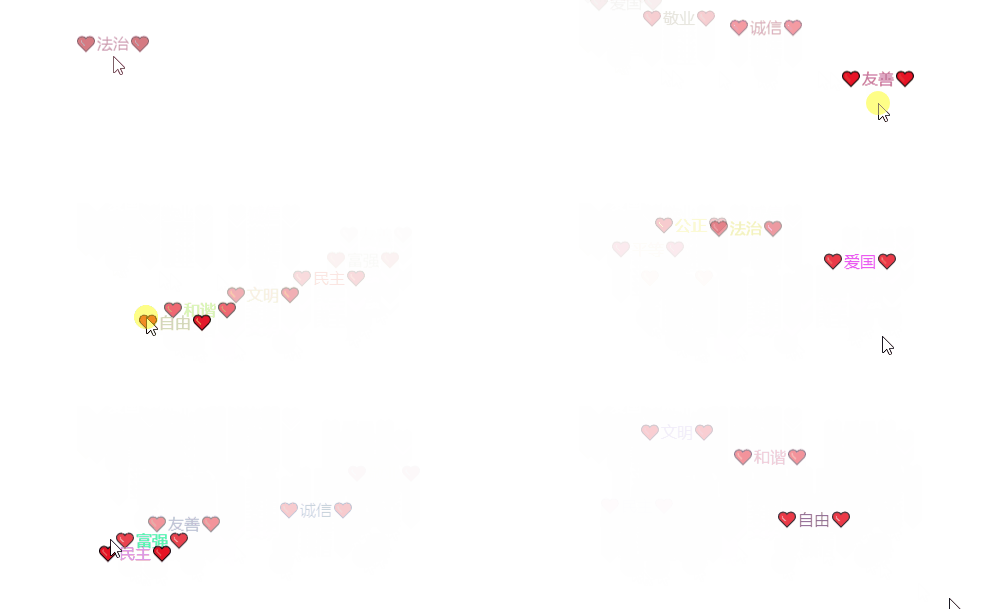
操作步骤
您需要分别修改项目中的两个文件 /public/js/custom.js 以及 /public/css/custom.css , 即可实现该点击特效。
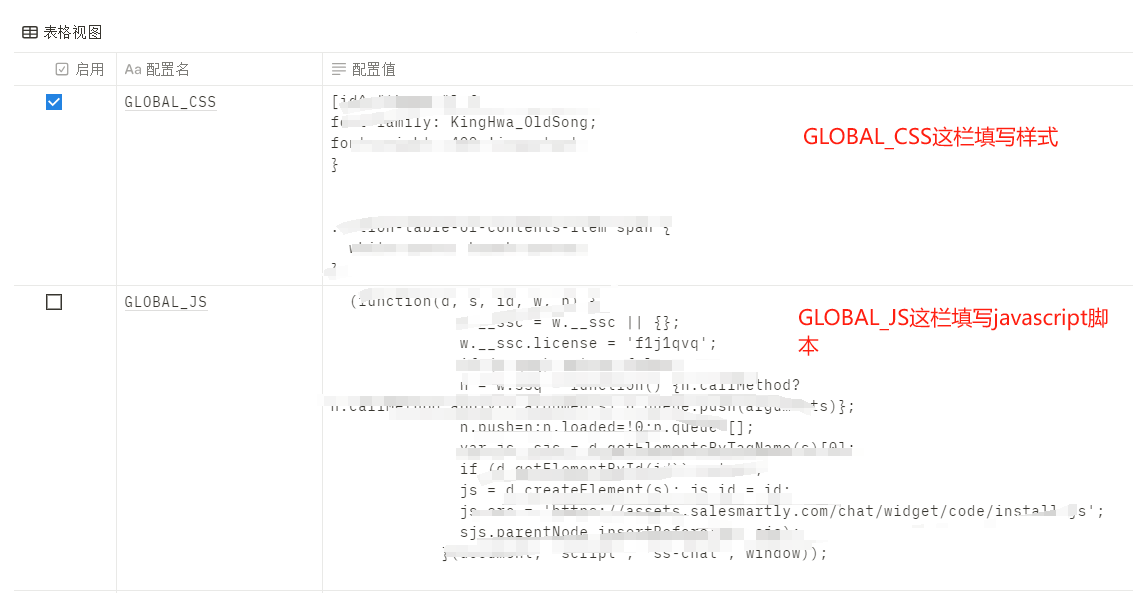
当然您也可以选择不改动源代码,而在Notion的配置中心添加,配置中心的GLOBAL_JS对应源代码的/public/js/custom.js,GLOBAL_CSS对应代码中的/public/css/custom_css:
1. 脚本
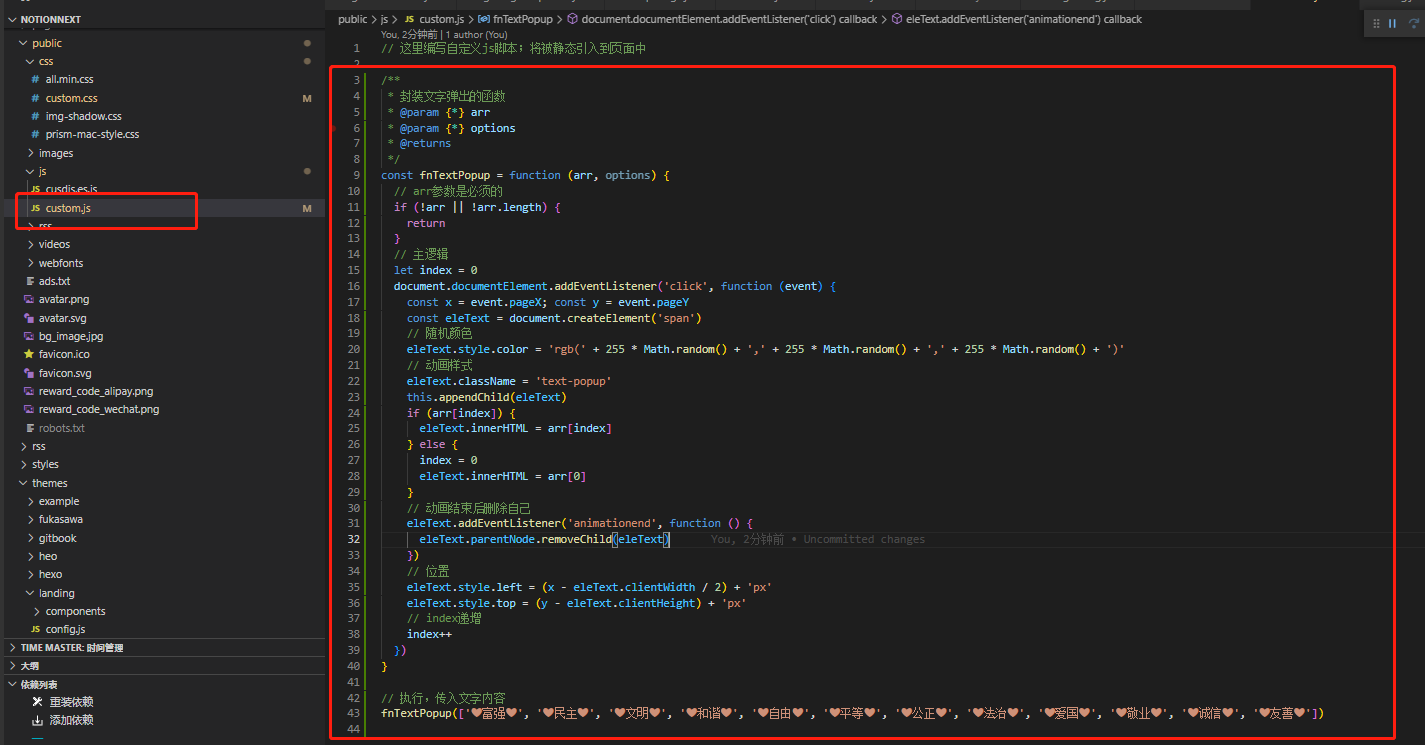
在您的仓库中找到 /public/js/custom.js , 这里可以填写你的自定义js脚本,在文件结尾添加以下内容
JavaScript
/**
 * 封装文字弹出的函数
 * @param {*} arr
 * @param {*} options
 * @returns
 */
const fnTextPopup = function (arr, options) {
  // arr参数是必须的
  if (!arr || !arr.length) {
    return
  }
  // 主逻辑
  let index = 0
  document.documentElement.addEventListener('click', function (event) {
    const x = event.pageX; const y = event.pageY
    const eleText = document.createElement('span')
    // 随机颜色
    eleText.style.color = 'rgb(' + 255 * Math.random() + ',' + 255 * Math.random() + ',' + 255 * Math.random() + ')'
    // 动画样式
    eleText.className = 'text-popup'
    this.appendChild(eleText)
    if (arr[index]) {
      eleText.innerHTML = arr[index]
    } else {
      index = 0
      eleText.innerHTML = arr[0]
    }
    // 动画结束后删除自己
    eleText.addEventListener('animationend', function () {
      eleText.parentNode.removeChild(eleText)
    })
    // 位置
    eleText.style.left = (x - eleText.clientWidth / 2) + 'px'
    eleText.style.top = (y - eleText.clientHeight) + 'px'
    // index递增
    index++
  })
}

// 执行,传入文字内容
fnTextPopup(['❤富强❤', '❤民主❤', '❤文明❤', '❤和谐❤', '❤自由❤', '❤平等❤', '❤公正❤', '❤法治❤', '❤爱国❤', '❤敬业❤', '❤诚信❤', '❤友善❤'])
如图
2. 动画样式
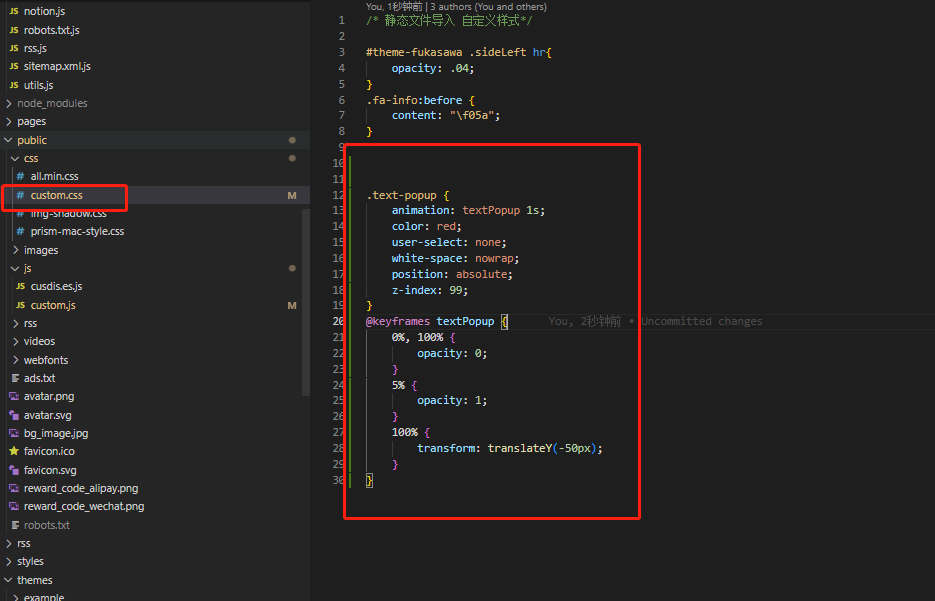
在 /public/css/custom.css 中添加如下样式
CSS
.text-popup {
    animation: textPopup 1s;
    color: red;
    user-select: none;
    white-space: nowrap;
    position: absolute;
    z-index: 99;
}
@keyframes textPopup {
    0%, 100% {
        opacity: 0;
    }
    5% {
        opacity: 1;
    }
    100% {
        transform: translateY(-50px);
    }
}
如图
结束
修改以上两个文件后,项目重新部署,任务完成。
原文链接
https://docs.tangly1024.com/article/notion-next-click-effect