
NotionNext开发先导
迁移自:NotionNext开发先导 发布日期:2022-11-13 最后编辑:2026-5-2 原栏目:⌨ 开发教程 标签:NotionNext 摘要:小白入门如何开发notionnext,下载NotionNext、启动NotionNext、提交合并到NotionNext等。
注意
此处文档较旧。如需更全面的开发指导,请阅读项目仓库中的 README.md,以及 /docs 目录下的相关文档。
前言
在进行二次开发之前,您需要了解到:NotionNext本身支持大量的自定义配置,开发之前,请先访问《配置手册》获取帮助、配置您的站点,例如:
blog.config.js文件中可以修改站点的基础信息、主题、语言、评论插件等核心配置每个主题下都有一个配置文件
config_[theme].js,以便用户配置自己的页面个性化。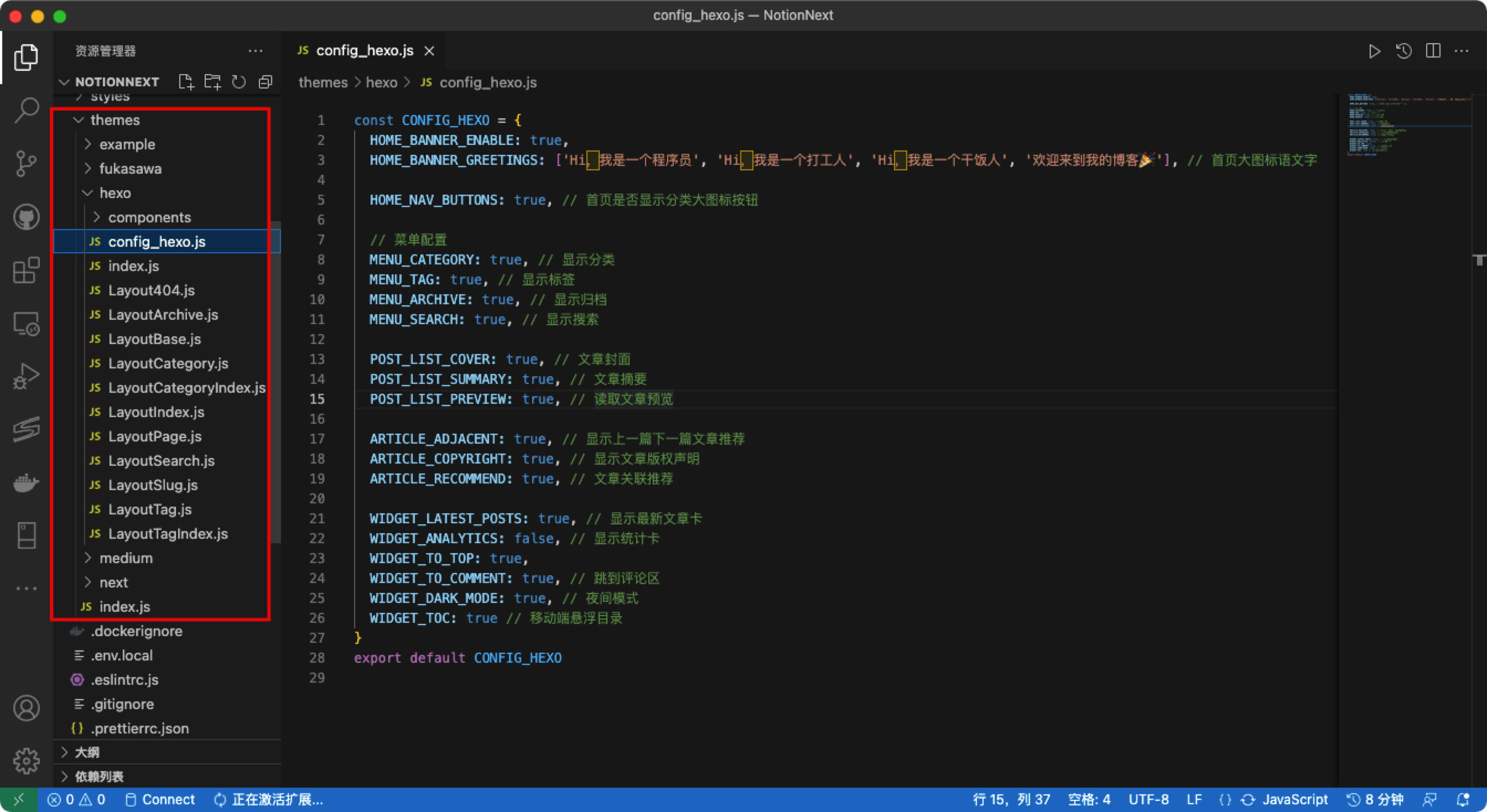
自定义脚本
NotionNext操作手册中,有关于自定义脚本和样式的引入方式;即:
在
/public/js/custom.js/public/css/custom.css中引入您的脚本,就可以实现任意的页面功能。在
blog.config.js的CUSTOM_EXTERNAL_JS、CUSTOM_EXTERNAL_CSS中也可以引入第三方的脚本。
提示
用这两种方式引入脚本,即使本机上没有安装nodejs等开发环境,也可以直接在浏览器控制台中编写调试。
Notion中自定义JS和CSS
在4.2.0之后的版本中,您可以直接在Notion中指定网页上的样式,以及执行的脚本,只需在NotionConfig中配置GLOBAL_CSS属性以及GLOBAL_JS属性即可,如下图示例:

自行开发
如果上述的配置方式,不能满足您的需要,例如新增组件、深度定制等等。您可以选择在github上发起issue,提出改进页面的建议,或者遵循此教程,进行您的开发之旅。
提示
可选Codespaces云开发,以及本地开发两种方案。
一、云开发(Codespaces)
提示
这是一个可选方案,相比本地开发,您不需要在电脑上安装环境;直接将Github仓库导入到云开发环境,在线编辑即可。 Codespaces是Github官方提供的云开发环境。
导入启动项目
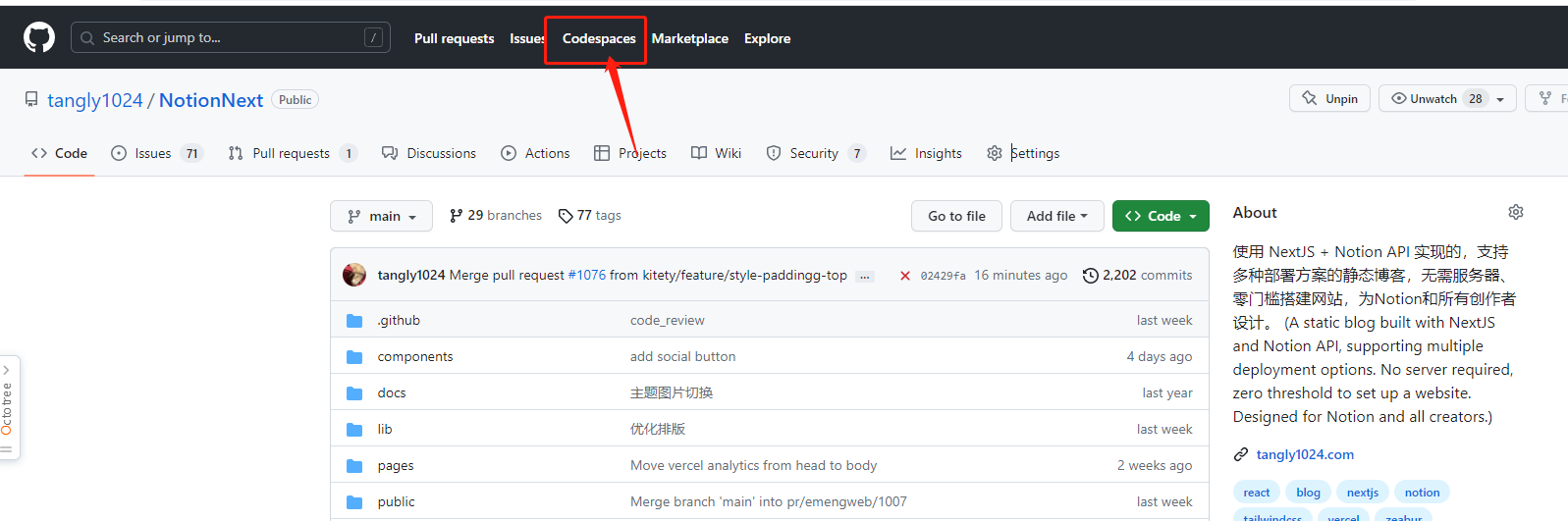
- 点击Codespaces
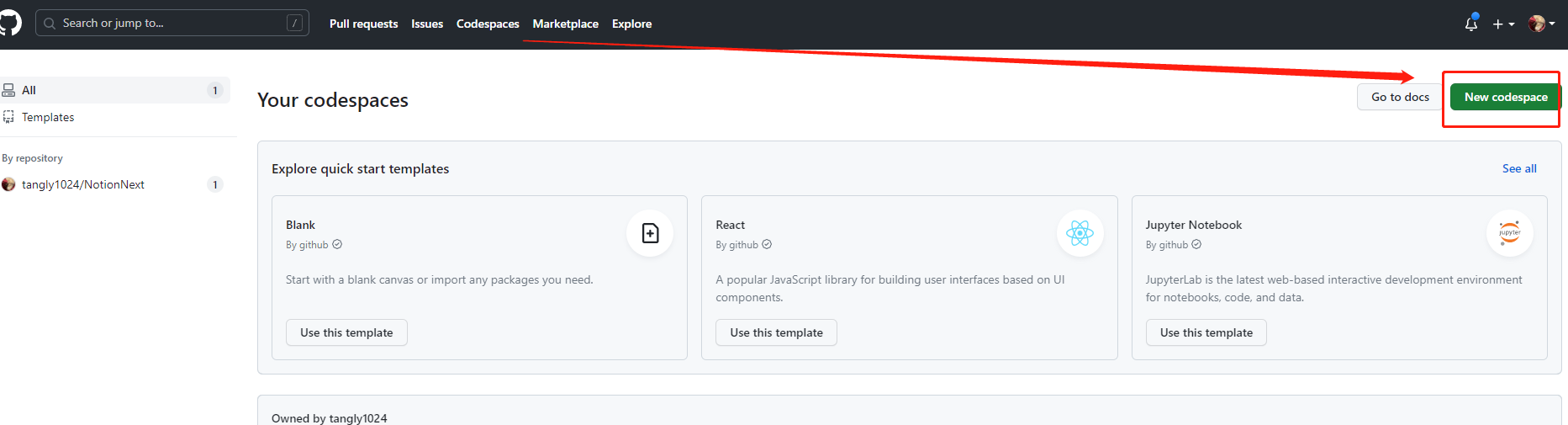
- 点击新建代码空间
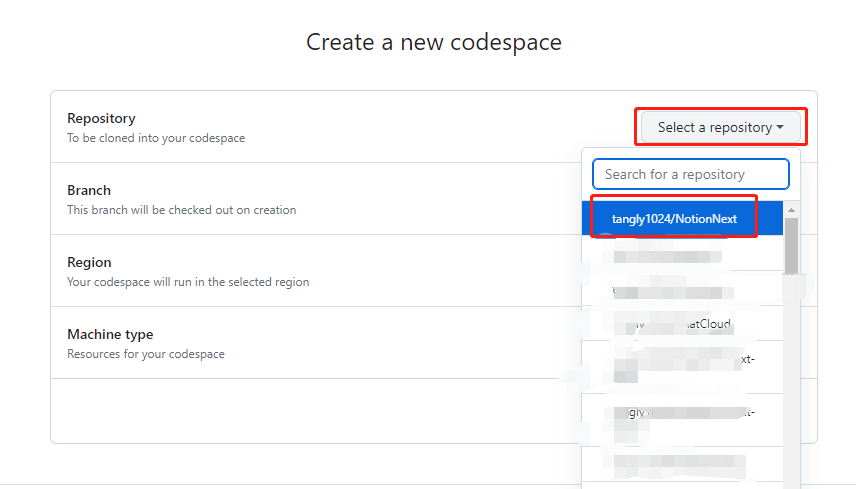
- 导入项目,并选择代码分支、以及云环境的服务器配置,然后点击Create codespacee
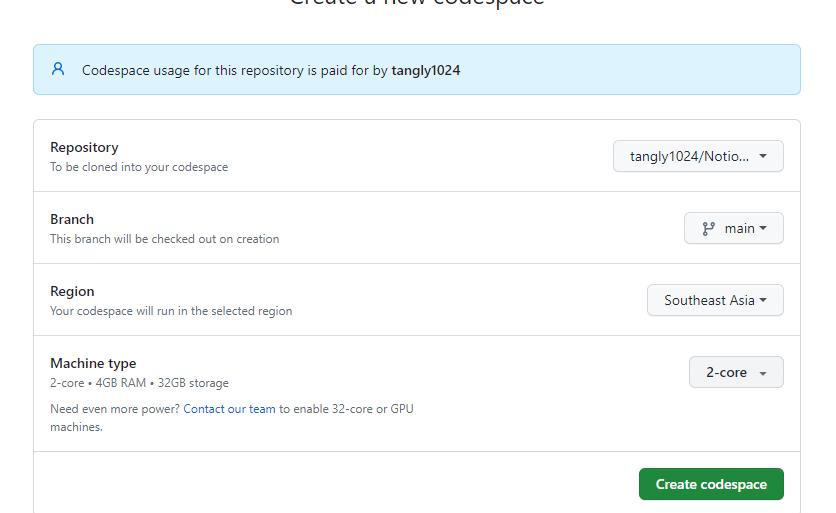
- 等待几分钟,您的云开发环境即可搭建 - 在终端中输入
yarn即可安装依赖的环境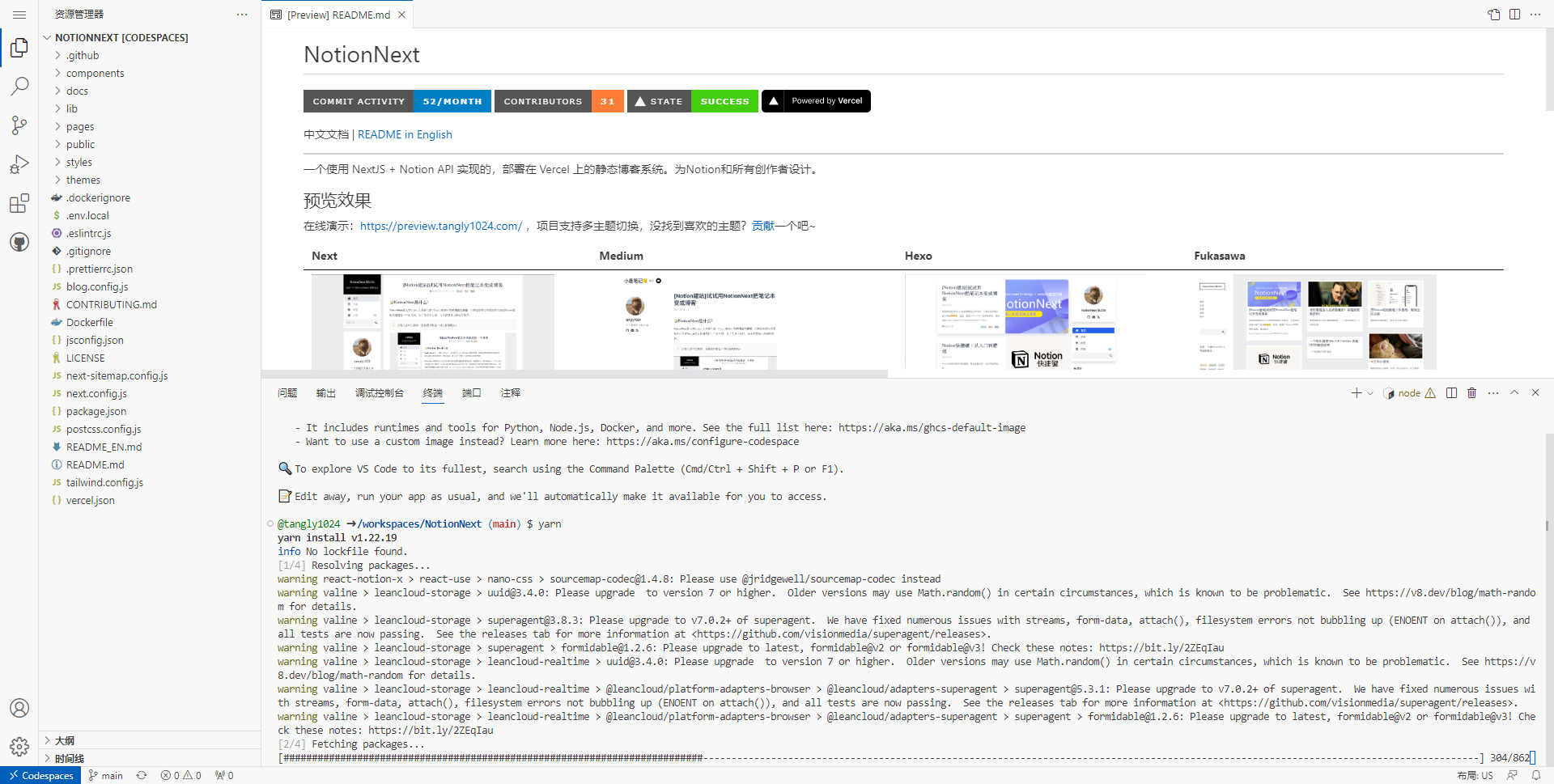 - 等上一步安装全部完成(约3分钟)后,在终端输入
 yarn dev即可开始实时调试 终端会提示以下内容,说明服务启动成功:
@tangly1024 ➜ /workspaces/NotionNext (main) $ yarn dev
yarn run v1.22.19
$ next dev
ready - started server on 0.0.0.0:3000, url: http://localhost:3000
info  - Loaded env from /workspaces/NotionNext/.env.local
Attention: Next.js now collects completely anonymous telemetry regarding usage.
This information is used to shape Next.js' roadmap and prioritize features.
You can learn more, including how to opt-out if you'd not like to participate in this anonymous program, by visiting the following URL:
https://nextjs.org/telemetry
点击右下角的在浏览器中打开,即可开启调试页面。 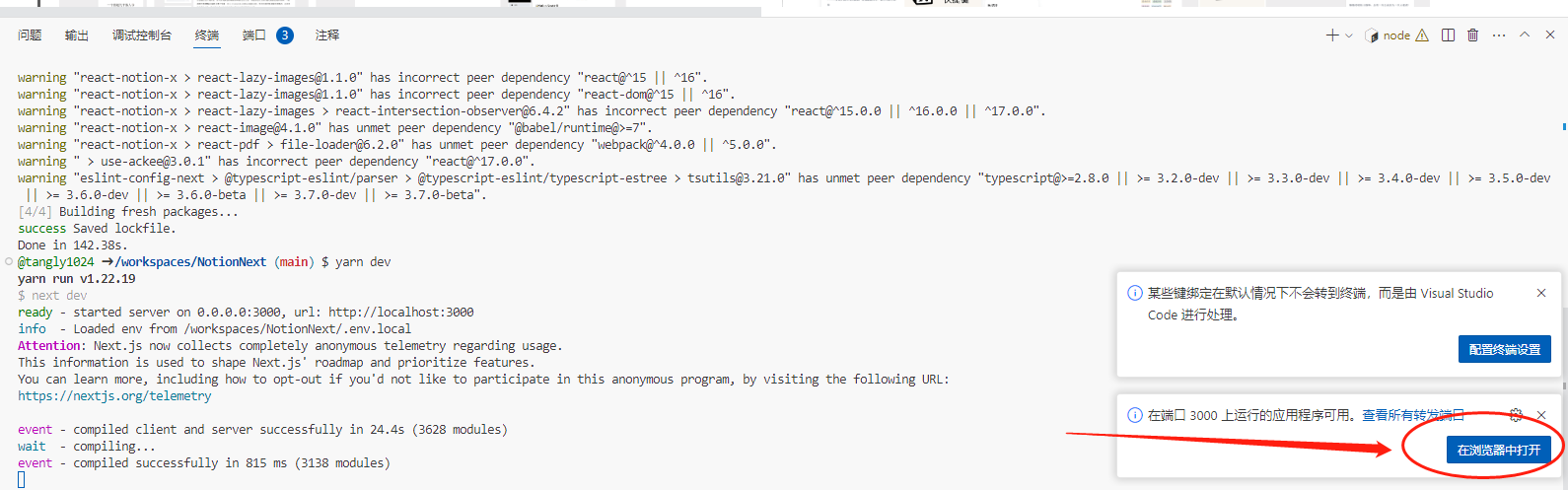 - 调试效果 github 会临时分配给您一个临时的域名,用于开发调试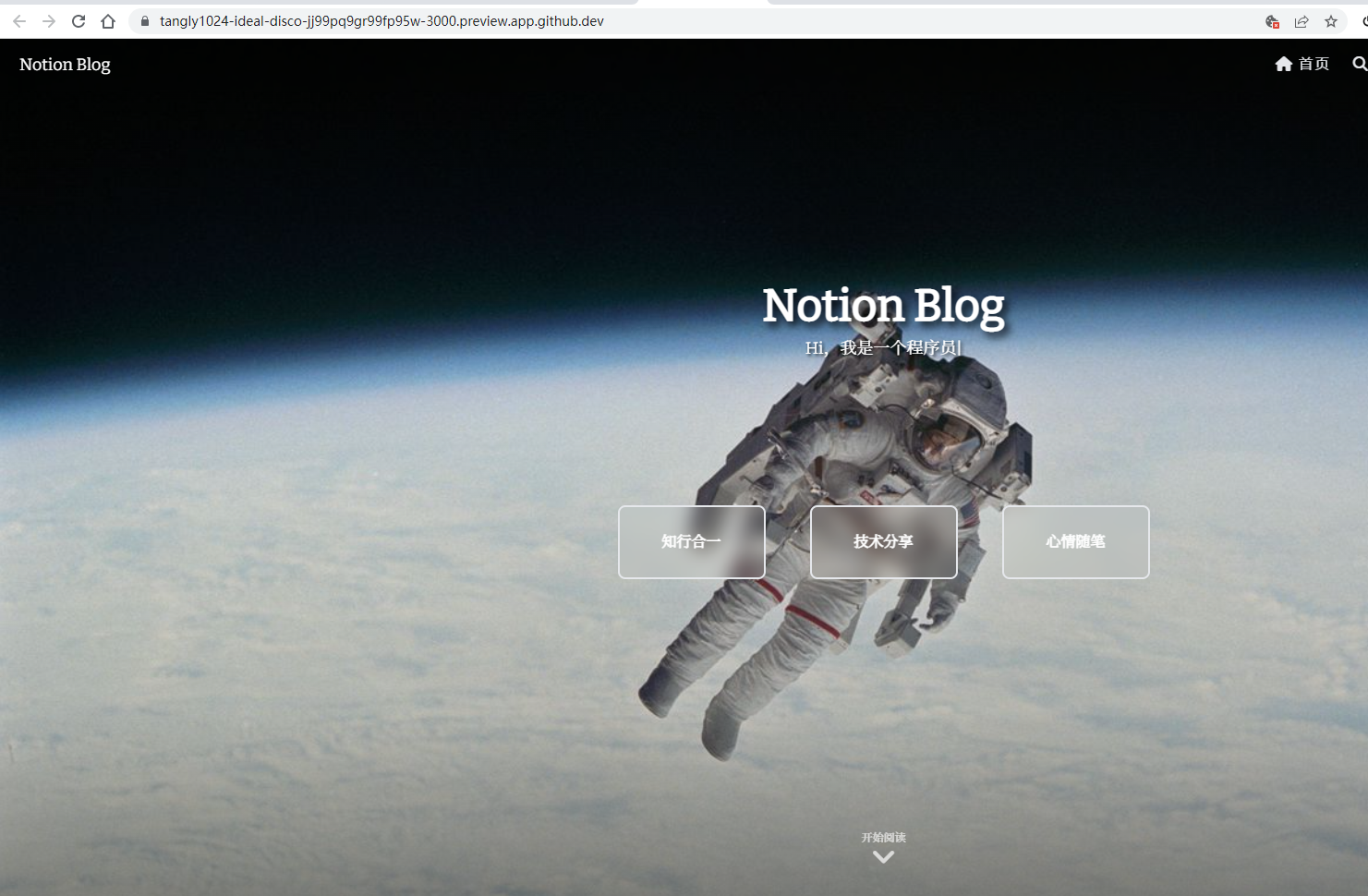
二、 本地开发
1.准备开发环境
提示
您的电脑上需要有一个开发环境NodeJs、以及代码编辑器VSCode,
- NodeJS 运行环境
安装步骤
- windows操作系统下,在官网下载安装最新版的NodeJs即可
Node.js® is a JavaScript runtime built on Chrome's V8 JavaScript engine.
提示
建议使用 Node 22(与仓库 README、.nvmrc 一致)。安装后执行 node -v 自检。
个别小版本若遇构建问题,请以 GitHub 仓库 README 与 Issues 的最新说明为准。 - 安装成功检验 安装成功,测试安装是否成功,运行CMD,分别输入node -v 和 npm -v 分别查看node和npm的版本号,如下图所示: 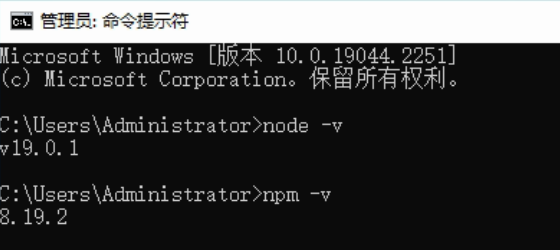 💡
💡
node是基础运行环境,npm是依赖包的管理组件 💡
如果执行 npm -v 出现异常 **npm : 无法加载文件 D:\nodejs\npm.ps1 ,可以参考此文: ** npm : 无法加载文件 D:\nodejs\npm.ps1-CSDN博客
文章浏览阅读1.1k次,点赞11次,收藏5次。npm : 无法加载文件 D:\ nodejs\ npm.ps1
安装下载
Download Visual Studio Code - Mac, Linux, Windows
Visual Studio Code is free and available on your favorite platform - Linux, macOS, and Windows. Download Visual Studio Code to experience a redefined code editor, optimized for building and debugging modern web and cloud applications.
设置中文
Visual Studio Code是一款支持多种语言和格式的编辑器,那么,怎么把界面设置成中文的呢?今天就和大家一起把Visual Studio Code界面设置成中文 打开Visual Studio Code 点击"应用"按钮 输入"Chinese (Simplified) Language Pack for Visual Studio Code"并敲回车键 点击第一个选项 点击Install 点击Restart Now 这样就设置完成了 点击下方链接 点击Install 点击Continue 如果浏览器有拦截,请点击打开(各浏览器的界面不同) 点击Install 最后点击Restart Now即可 END 喜欢请点赞+关注
2.导入启动项目
- 下载您的代码
安装Github Desktop
Checkout branches with pull requests and view CI statuses See all open pull requests for your repositories and check them out as if they were a local branch, even if they're from upstream branches or forks. See which pull requests pass commit status checks, too! 点击Sign in to Github登录,或者skip this step 稍后登录都可以 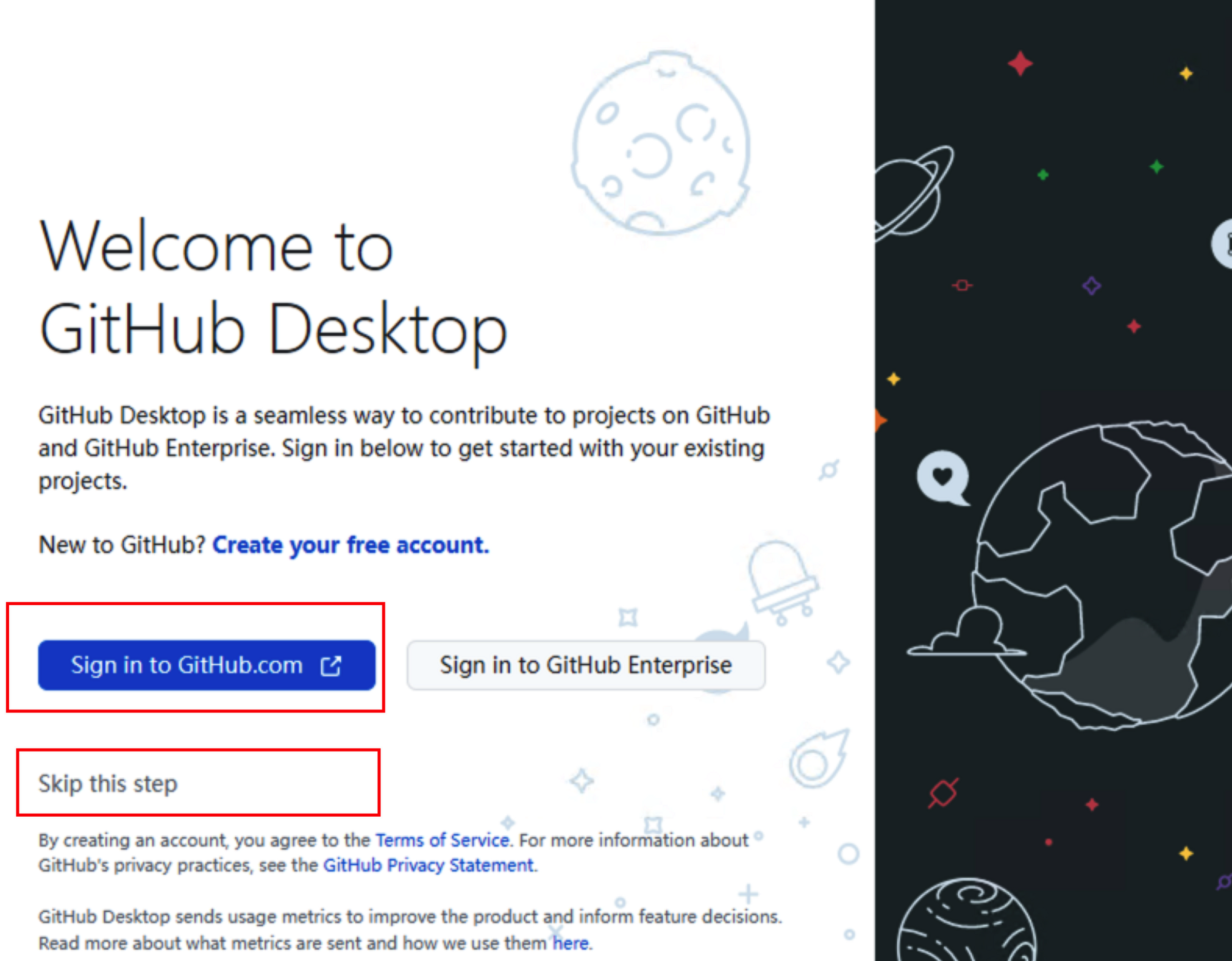
下载代码
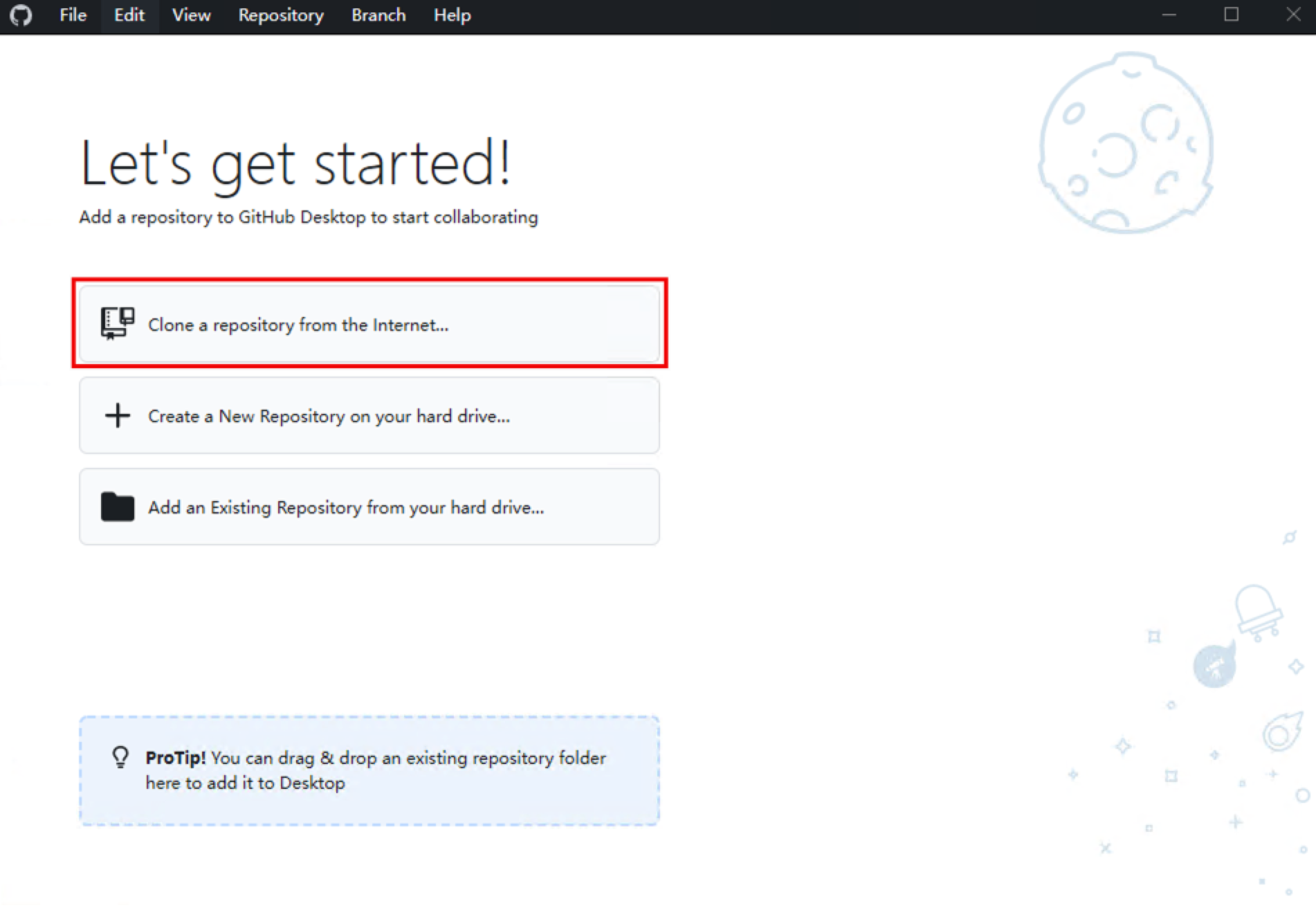 找到您的仓库地址进行Clone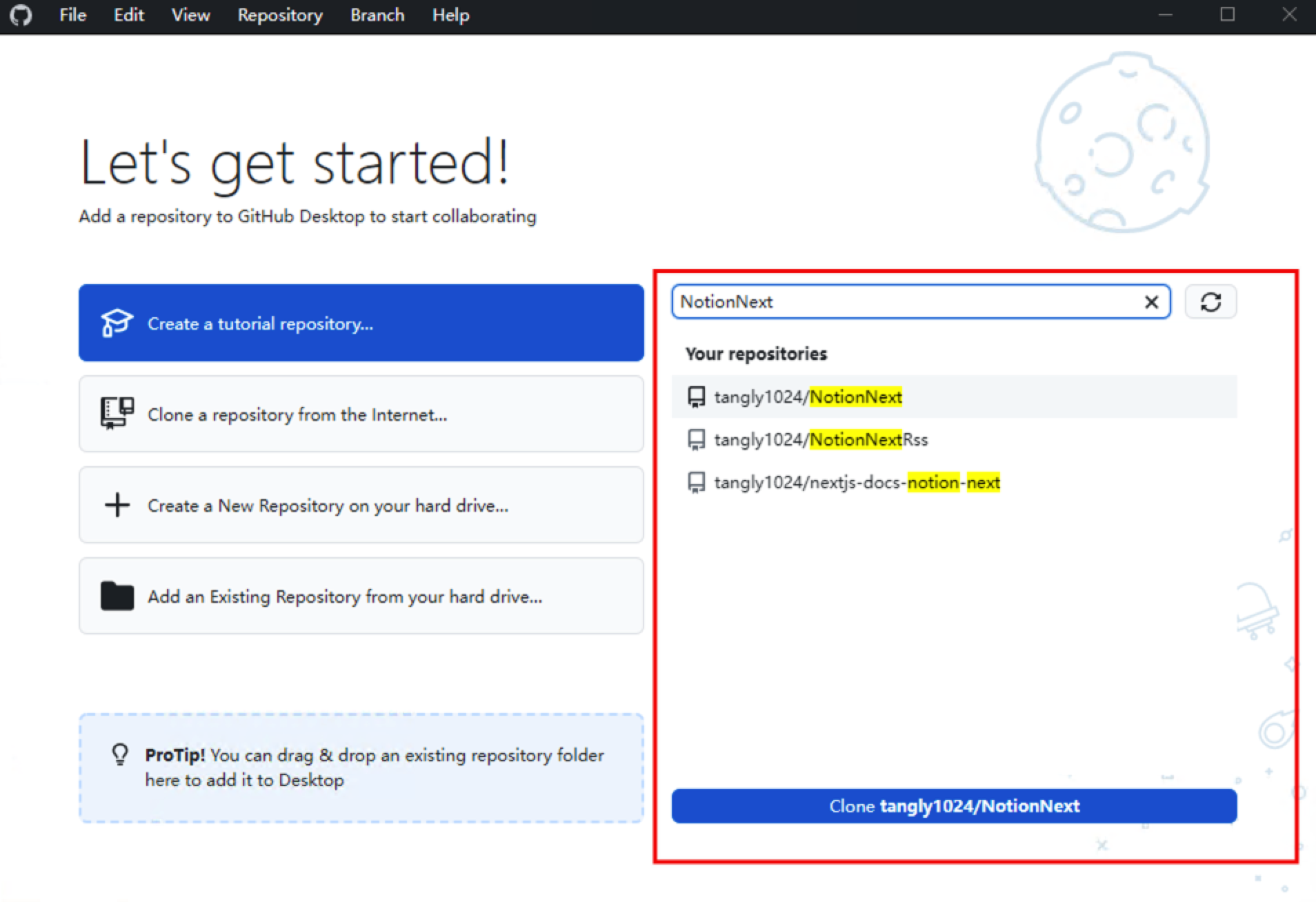
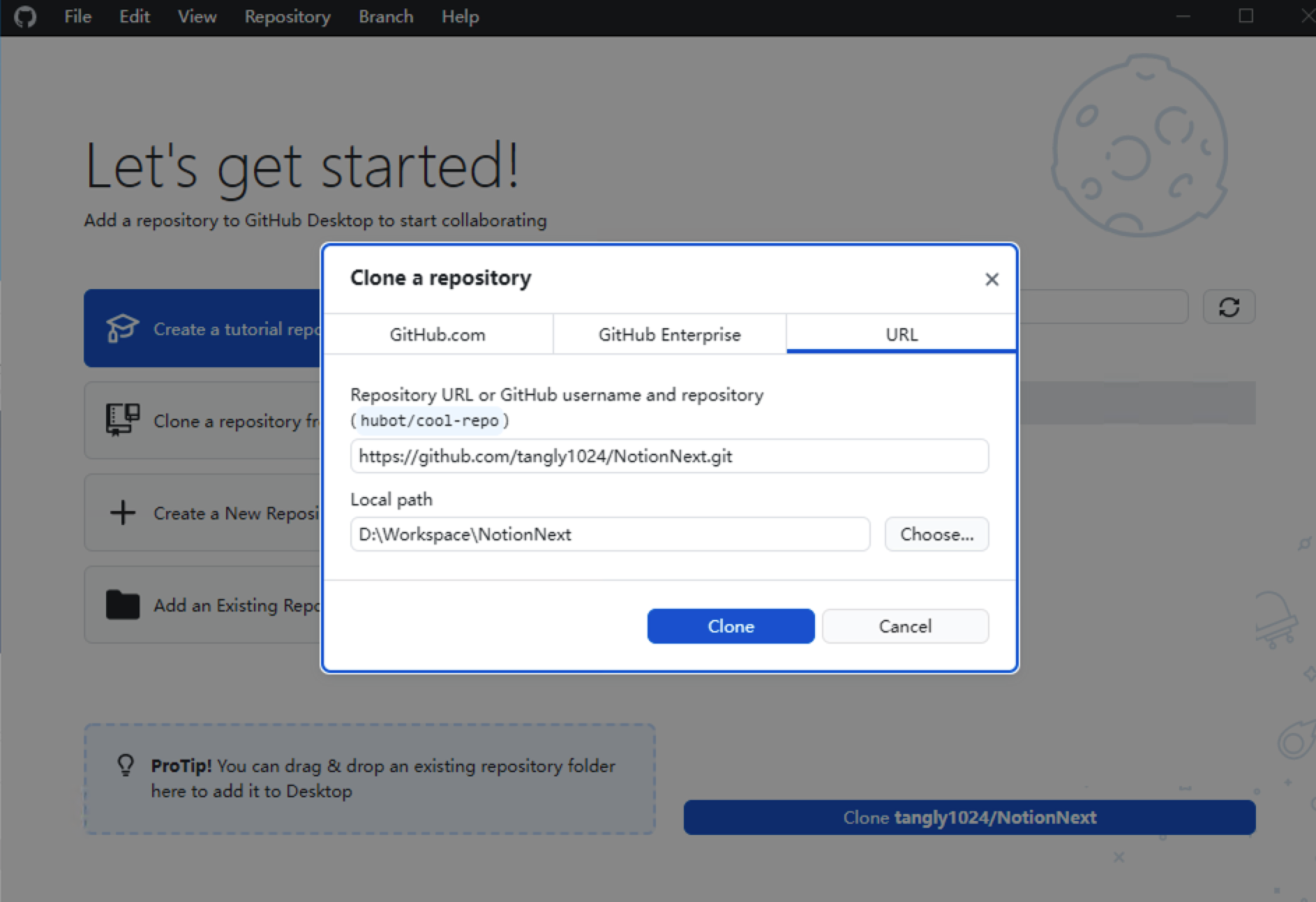 点击Clone即可下载代码
打开项目文件
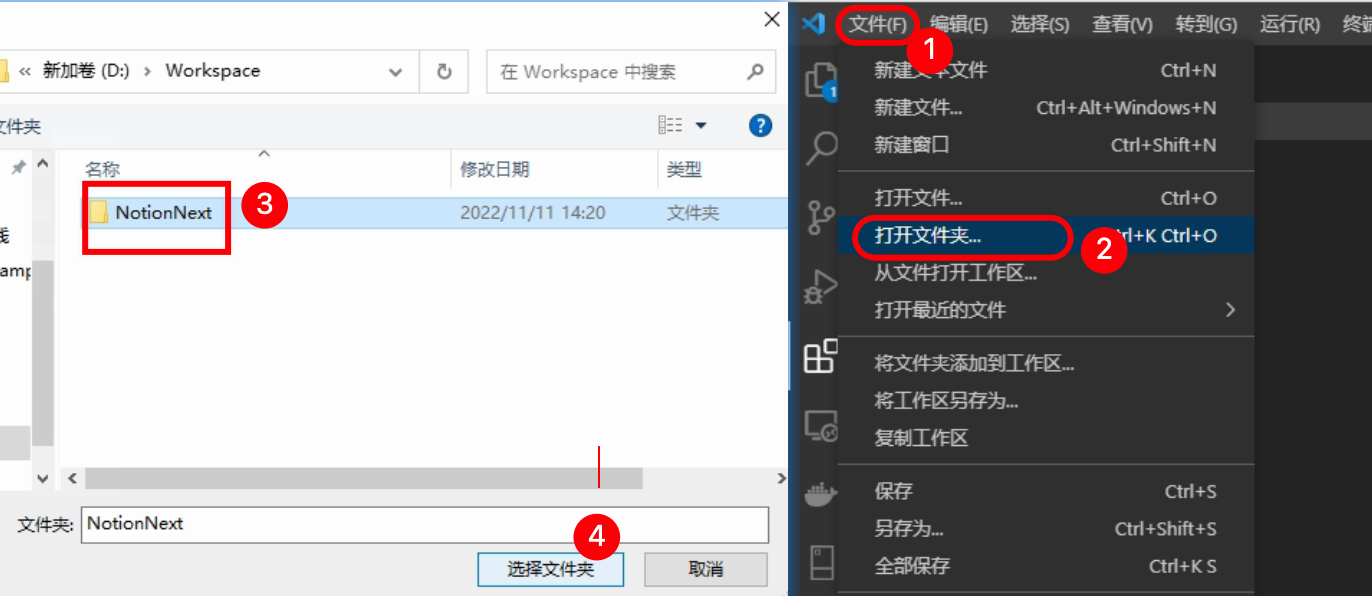
安装项目依赖的组件
点击 菜单栏的终端,并选择 新建终端,然后在新建的终端窗口中输入安装启动脚本: 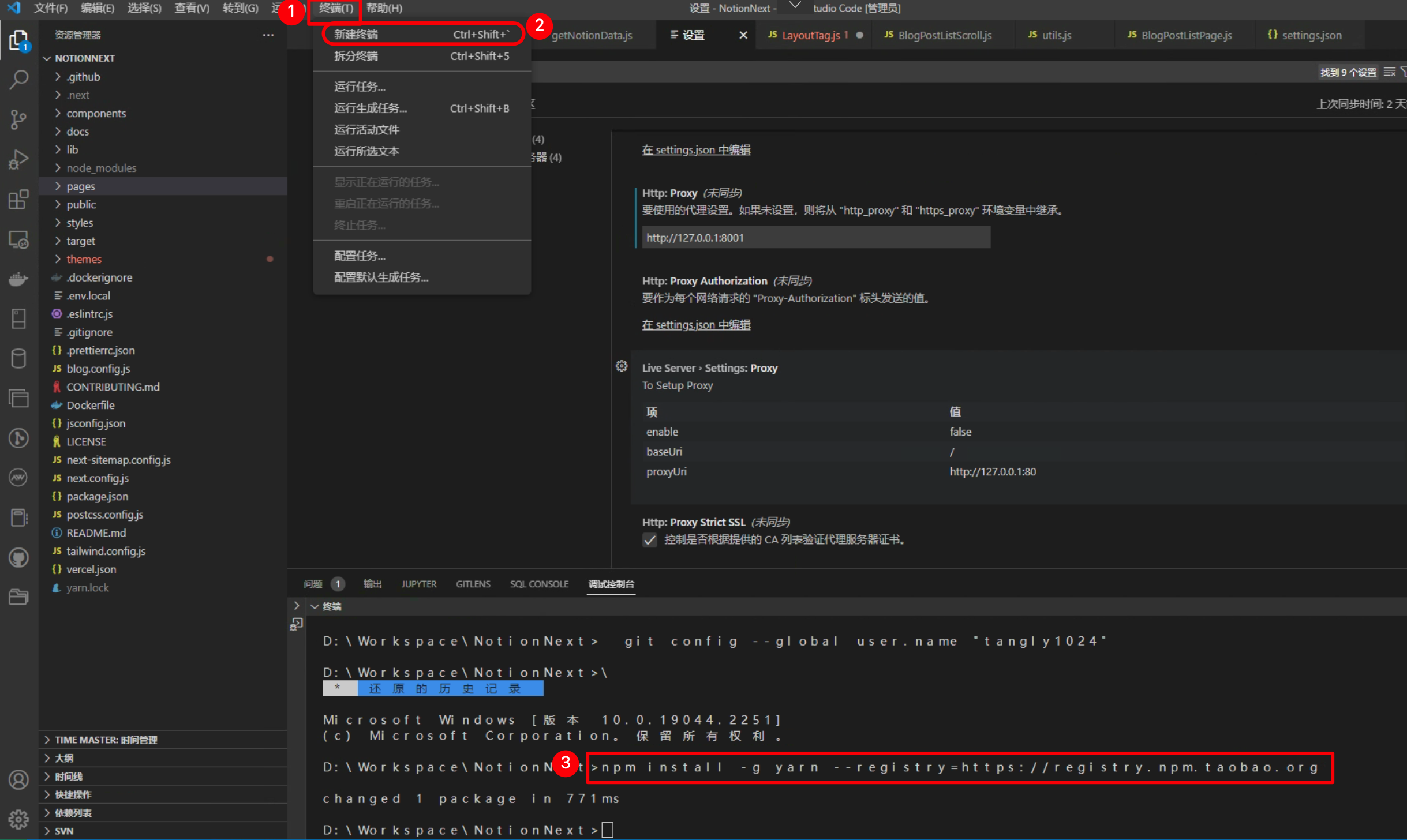 任选一种安装
# 使用npm安装
npm install -g yarn --registry=https://registry.npm.taobao.org

# 使用yarn安装(推荐 更快)
yarn config set registry https://registry.npm.taobao.org/
yarn install
提示
静候片刻,首次安装依赖需要花一点时间
启动项目 只需一个命令
yarn dev# 执行后vscode中会显示
yarn run v1.22.19
$ next dev
ready - started server on 0.0.0.0:3000, url: http://localhost:3000
info - Loaded env from D:\Workspace\NotionNext\.env.local
其他脚本说明
yarn        # 安装依赖
yarn dev    # 开发,支持热加载
yarn build  # 为生产编译打包
yarn start # 运行打包后的项目构建服务浏览器打开 [http://localhost:3000/](http://localhost:3000/) 即可访问你的本地博客

3.本地开发环境配置
VSCode中可以使用launch面板,进行设置环境变量以及断点调试 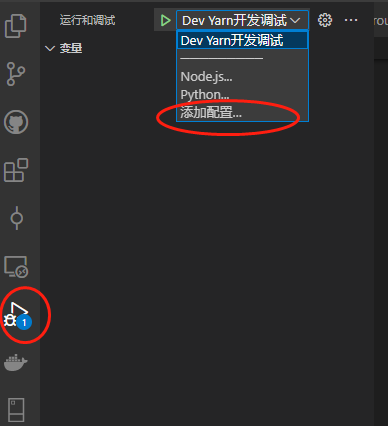 创建一个launch文件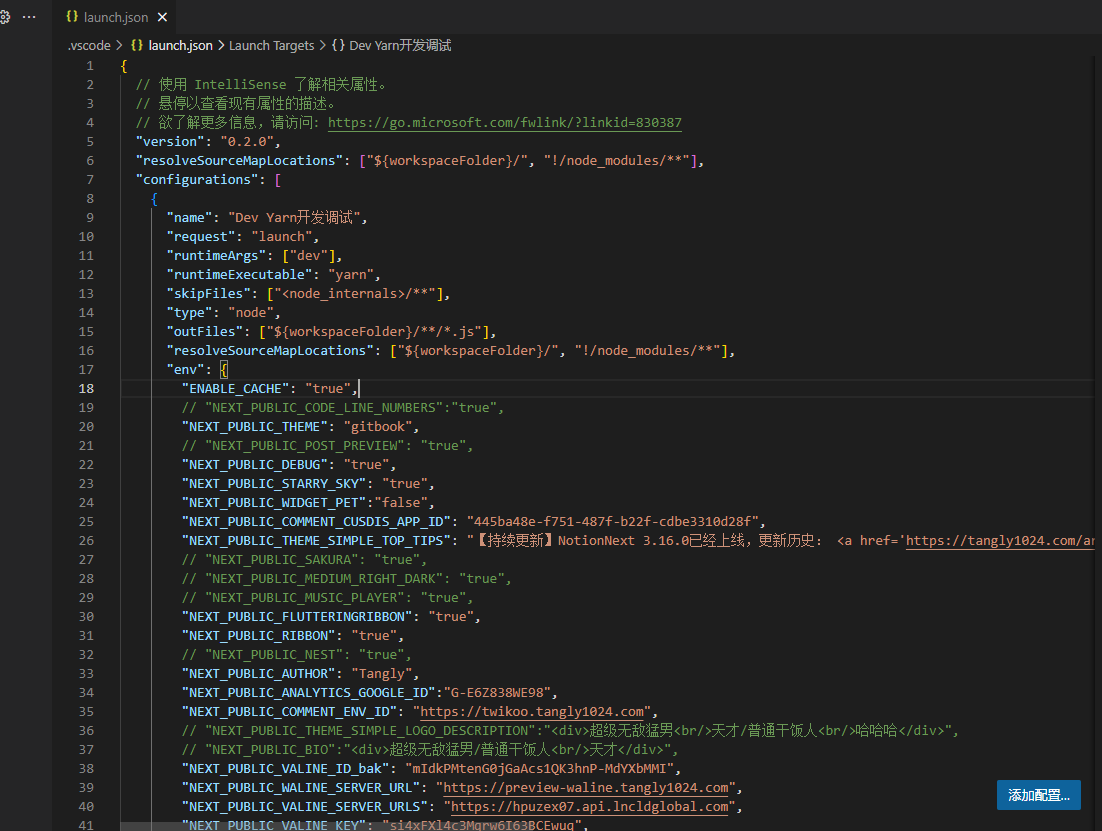
可参考官方推荐配置
{
  "version": "0.2.0",
  "configurations": [
    {
      "name": "Next.js: Debug Server",
      "type": "node",
      "request": "launch",
      "runtimeExecutable": "yarn",
      "runtimeArgs": ["dev"],
      "console": "integratedTerminal",
      "skipFiles": ["<node_internals>/**"],
      "env": {
        "NODE_OPTIONS": "--inspect",
        "ENABLE_CACHE": "true"
      }
    },
    {
      "name": "Next.js: Debug Client (Chrome)",
      "type": "pwa-chrome",
      "request": "launch",
      "url": "http://localhost:3000",
      "webRoot": "${workspaceFolder}",
      "sourceMaps": true
    }
  ],
  "compounds": [
    {
      "name": "Next.js: Debug Full Stack",
      "configurations": [
        "Next.js: Debug Server",
        "Next.js: Debug Client (Chrome)"
      ]
    }
  ]
}
VSCode 里会出现三个启动项:
① Debug Server
只调试 Node 端 适合调试: - getServerSideProps - app/api/* - middleware.ts - server components
② Debug Client (Chrome)
只启动浏览器调试 适合调试: - React组件 - hooks - 前端逻辑 - 页面跳转
③ Debug Full Stack(推荐)
一次同时启动: - Next dev server - Chrome调试 这是 Next.js最常用调试方式。
代码结构简介
NextJS
项目用NextJS框架构建,以下是代码所有主要目录,修改样式主要在themes 目录下完成。
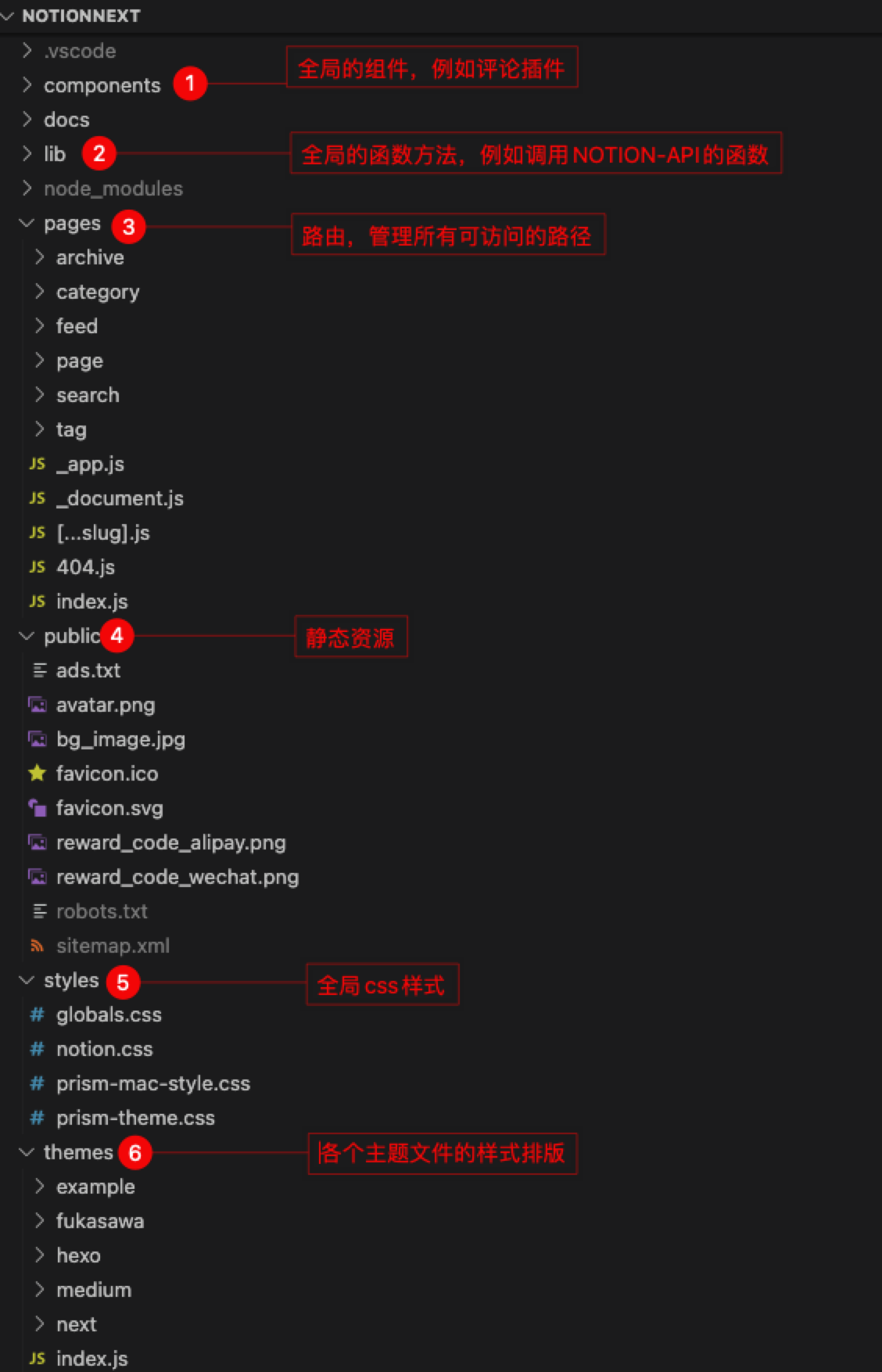
提示
关于NextJs框架请阅读官方文档获取帮助 快速入门 | Next.js
欢迎阅读 Next.js 文档! 如果你是初学 Next.js,我们建议你从 互动课程 开始。 通过这些带小测验的互动课程你将学到使用 Next.js 所需的全部知识。 如果你有任何与 Next.js 相关的问题,欢迎随时在 GitHub Discussions 上向我们的社区寻求帮助。 我们建议使用 create-next-app 创建新的 Next.js 应用程序,它会自动为你设置所有内容。创建项目,请运行: npx create-next-app@latest yarn create next-app 如果你希望使用 TypeScript 开发项目,可以通过 --typescript 参数创建 TypeScript 项目: npx create-next-app@latest --typescript yarn create next-app --typescript 安装完成后: 运行 npm run dev 或 yarn dev 来启动开发服务器,访问地址为 http://localhost:3000。
TailWindCSS
项目开发使用TailwindCss,这是一个极简、灵活的CSS工具库,上手后开发效率极高。
TailwindCSS官方称一个可以让你脱离css文件,在html直接通过class修改样式的框架。 但是TailwindCSS一直受到CSS 方案备受争议。第一个问题就是这和写style css有什么区别? 首先在我们的进行修改css样式的风法中,多多少少会用到一些4中方式 越往下走,颗粒度越来越大,约束性变高,自由性不足。而 TailwindCSS 位于第二层。 第一层的话,就很难复用了,所以 TailwindCSS 选择了第二层的原因。 在不久之前Facebook经过重构后的css体积已经重原来的413kb 压缩到74kb。 可是很多开发者,很疑惑。我的css文件下去了,但是我的html和组件的文件变得无比的大,并不知道这里的好处在哪里? 首先第一,现在的开发模式已经是组件开发了,就算你在搞一个css来维护。其实很多的样式属性这个组件有,那个组件也存在复用。这个没有必要,这里的自己的组件样式交给组件自己维护就好了。 第二点就是想到这个疑惑的,估计是没有去了解过nginx的gzip。只是知道有这么一回事。 gzip 的核心Deflate使用的是LZ77 算法和 Huffman 编码来压缩文件,重复度越高的文件可压缩的空间就越大。 即使 HTML 因为类名过多造成体积增大,由于 class 高度相似,gzip 也将会得到一个很大的压缩比例。 这才是 TailwindCSS 想要的结果 第一次我使用 tailwind ui 框架的时候,很多情况看多以下的这种写法。 你想要多少的数值,直接写多少就好了。 还有对应响应式 对应你使用的@media,你感觉谁更加舒服呢? 第三 就是后期维护的时候,就算有人跑路了,这么多个css,后面的人只需要去看html就能维护。这么多的css file你慢慢找吧,反正我是不想找的。 第四 Jit css编译,使用TailwindCSS在编译的过程中,比css-loader less-loader 都要快 说了这么这些好处,TailwindCSS有什么不足呢?我说说我的看法吧。 第一遇到复杂一点的css操作你不能直接使用 TailwindCSS 操作 比如以上的情况,你需要写css来操作子元素的显示,除非你无聊非要用js来写,也不是不行。 第二是增加了记忆负担,它的命名和你认知中的使用不一样,前期需要一直查阅文档,或者下载TailwindCSS的提示插件。要不你无从下手。 但是一旦你有习惯了,形成条件反射,那就是另一种情况,你会直喊香。 如果你正在做代码加速优化的话,你可以试试TailwindCSS.因为gzip后是真的小。 如果你是一个爱折腾的人,可是试试TailwindCSS。 如果你感觉你的组件已经可以完全独立使用一个css的时候,可以使用TailwindCSS来制作这个组件。后面要改代码时候,只需要去这个组件修改,并且不用担心自己的class会影响到他人的组件。
安装 - TailwindCSS中文文档 | TailwindCSS中文网
The simplest and fastest way to get up and running with Tailwind CSS from scratch is with the Tailwind CLI tool.
代码格式规范
使用Eslint + Prettier,关于格式化代码,可以阅读这篇文档:
ESLint插件:
Prettier插件 有两个插件任选一种,按照插件内的配置说明配置您的工作空间即可。
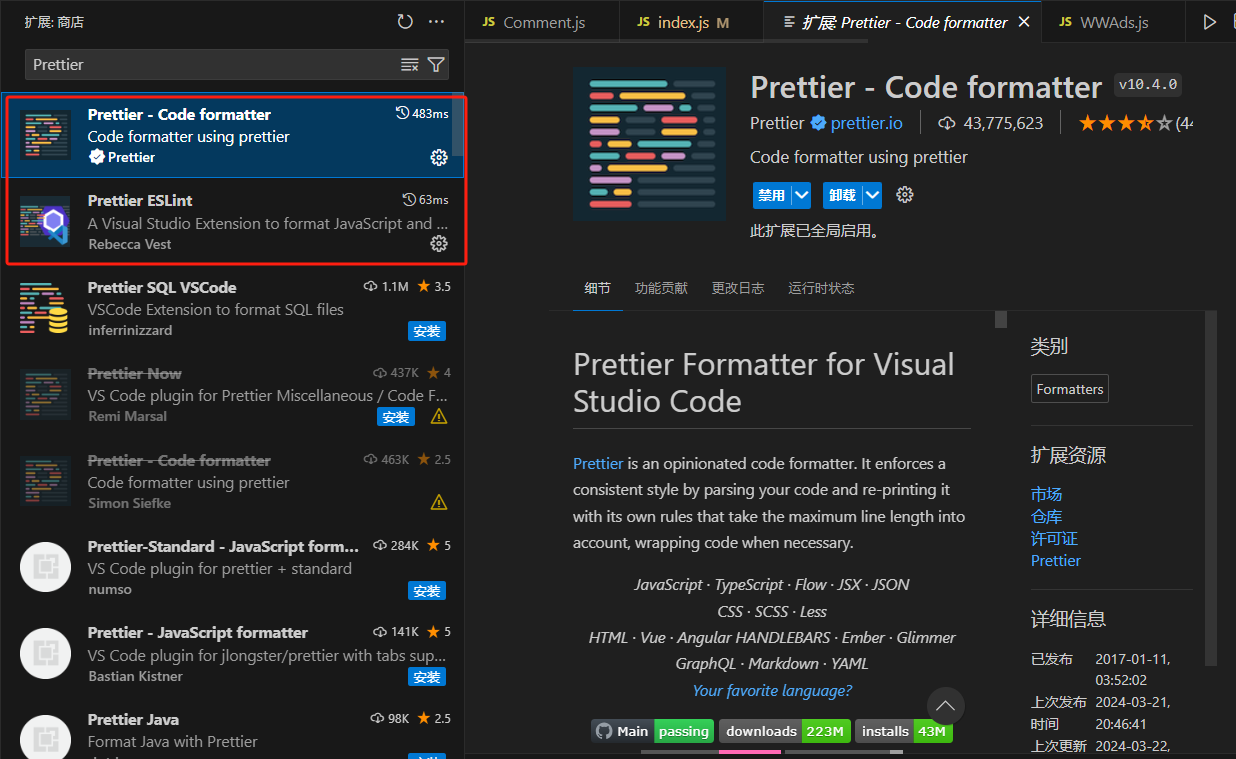
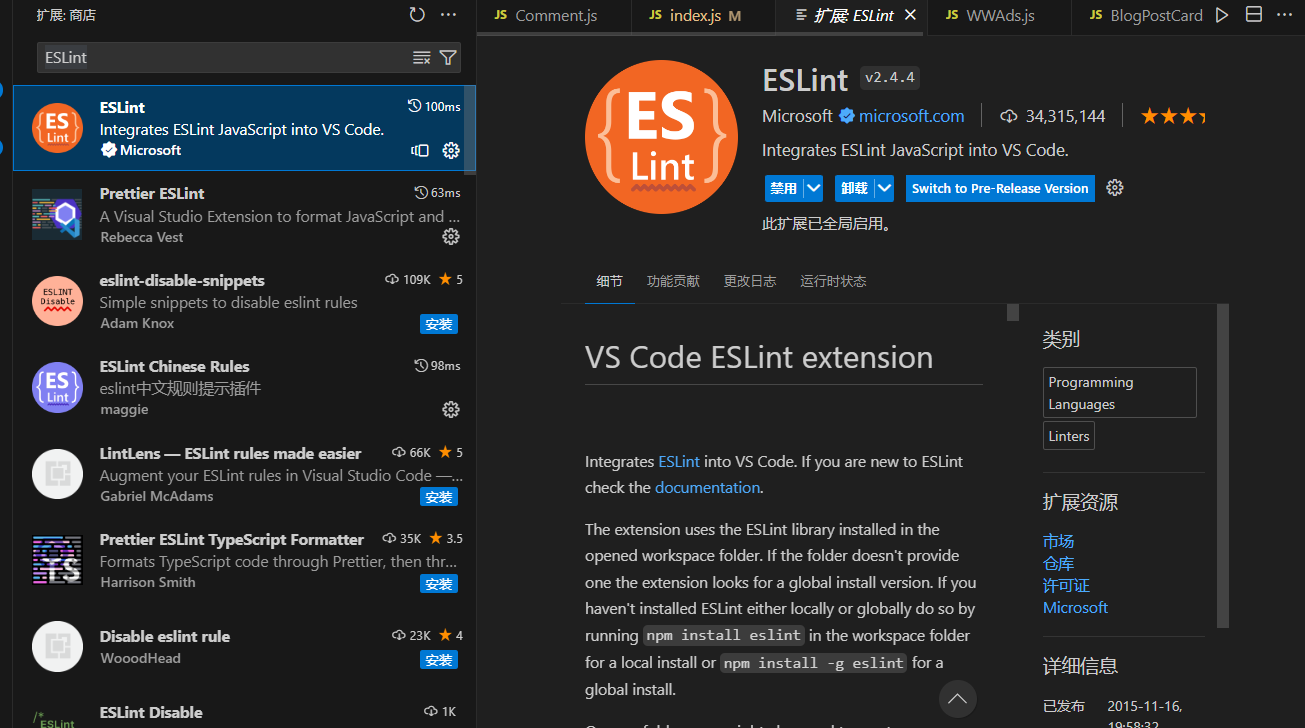
示例:Prettier - Code formatter
使用说明 - https://marketplace.visualstudio.com/items?itemName=esbenp.prettier-vscode 安装后,在项目配置中启用自动格式化,在settings.json中添加如下配置:
{
// 保存时 prettier 自动格式化
"editor.formatOnSave": true,
// 默认格式化工具使用prettier
"editor.defaultFormatter": "esbenp.prettier-vscode",
// 开启eslint检查
"eslint.enable": true,
// 保存代码时自动用ESLint进行检查代码,并纠正格式化
"editor.codeActionsOnSave": {
"source.fixAll": "explicit",
"source.organizeImports": "explicit"
}
}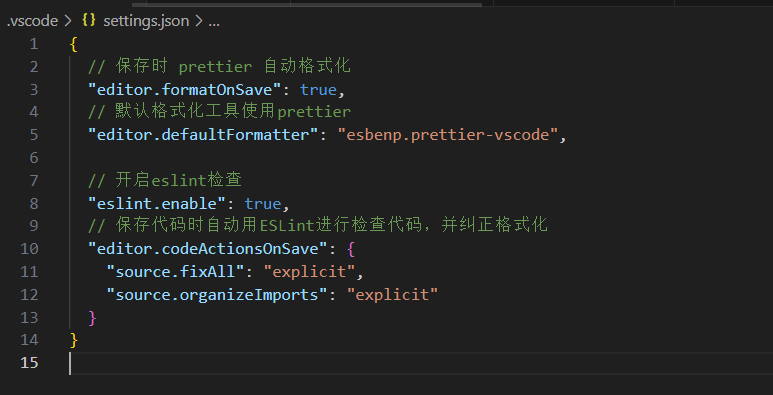 安装后,在项目配置中启用自动格式化,在用户,或者项目的settings.json中添加如下配置:
示例二:Prettier - Eslint
- 使用说明: [Prettier ESLint - Visual Studio Marketplace](https://marketplace.visualstudio.com/items?itemName=rvest.vs-code-prettier-eslint)
- 安装后,在项目配置中启用自动格式化,在settings.json中添加如下配置:
{
  "editor.defaultFormatter": "rvest.vs-code-prettier-eslint",
  "editor.formatOnType": false, // required
  "editor.formatOnPaste": true, // optional
  "editor.formatOnSave": true, // optional
  "editor.formatOnSaveMode": "file", // required to format on save
  "files.autoSave": "onFocusChange", // optional but recommended
  "vs-code-prettier-eslint.prettierLast": false // set as "true" to run 'prettier' last not first
}- 项目中的相关配置文件参考。
.eslintrc.js
.prettierrc.json
原文链接
https://docs.tangly1024.com/article/how-to-develop-with-notion-next